
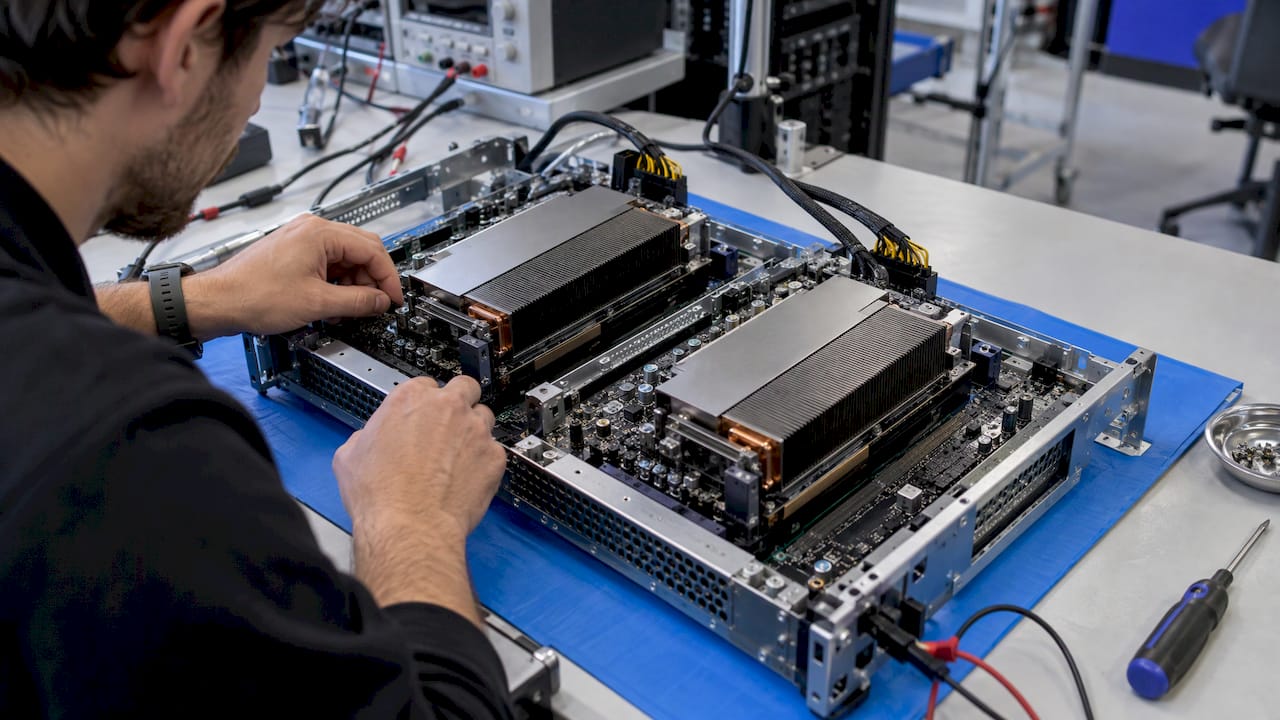
Cloud-native AI means building, deploying and running AI workloads with cloud-native principles: containers, microservices, declarative infrastructure and automation. The CNCF defines it as approaches and patterns for building and deploying AI applications using those principles, so that AI workflows become repeatable and scalable. It is different from simply hosting a model on a cloud server. It is a way of treating models, data pipelines and inference services as production software that can be versioned, governed and integrated with the rest of your estate.
Key Takeaways
- Cloud-native AI applies container, microservice and automation practices to the whole AI lifecycle, from data preparation to model serving and monitoring.
- Kubernetes is the usual orchestration layer, because it isolates models in portable packages and schedules scarce GPU resources across teams.
- Most enterprise AI value is lost at the integration layer, so APIs, events and governance matter as much as the model.
- The main risks are GPU cost, model decay, data governance and skills, and each is manageable when designed for from the start.
- Integration platforms such as Boomi, MuleSoft, TIBCO and Solace are how AI services reach the systems of record, and we use them for exactly that.
Table of Contents
- What cloud-native AI actually means
- The architecture of a cloud-native AI platform
- Cloud-native machine learning across the lifecycle
- Running AI on Kubernetes
- Benefits and the challenges to plan for
- Governance, security and integration with existing systems
- A perspective from the delivery side
- How to start without overbuilding
- Working with Polarising
- FAQ
- Sources
What cloud-native AI actually means
Running AI in the cloud and building cloud-native AI are not the same thing. A team can rent a GPU virtual machine, install a framework by hand and call it cloud AI. That works for a prototype, but it leaves you with a server that only one person understands.
Cloud-native AI is the opposite approach. Models are packaged in containers, services are small and independently deployable, infrastructure is described as code, and pipelines move a model from experiment to production the same way each time. The CNCF notes that cloud-native AI uses cloud compute, including CPUs and GPUs, together with networking, storage, isolation and controlled sharing, to improve AI performance and reduce cost.
The practical difference shows up on the day something changes: a new model version, a security patch, a spike in demand, an audit. In a cloud-native setup each of those is a routine operation. In a hand-built setup each is a project.

How it relates to cloud-native development
Cloud-native systems use microservices to promote modular, reusable design, as well as deployability, scalability and resilience. AI fits this pattern well. The same CNCF paper describes packaging AI models in containers and deploying them to Kubernetes clusters, which is the same operating model your engineers may already use for other services.
That is also the reason it suits enterprises with an existing cloud-native programme. If you are still modernising, our view on cloud-native architecture for CTOs covers how to get there without a full rewrite.
The architecture of a cloud-native AI platform
The CNCF lists the core components as data preparation, model training, CI/CD, a model registry, model serving and observability. Each one needs an owner and an interface to the others.
| Component | What it does | What to decide |
|---|---|---|
| Data preparation | Collects, cleans and versions training and grounding data | Ownership, access rules, lineage |
| Model training | Runs experiments and training jobs on shared compute | GPU allocation, job scheduling |
| CI/CD for models | Tests and promotes model versions through environments | Approval gates, rollback |
| Model registry | Stores signed, versioned model artefacts | Who can publish and deploy |
| Model serving | Exposes models as APIs or event consumers | Latency targets, scaling rules |
| Observability | Tracks health, quality and cost of models in production | Metrics, alerts, audit trail |
Design for AI, not just for applications
AI workloads behave differently from conventional applications. Microsoft’s Azure Well-Architected Framework says AI workloads should be designed across application design, platform, training data, grounding data, MLOps, operations, testing and responsible AI. Its reasoning is that nondeterminism, model decay, data scale and changing models complicate conventional practice, so AI needs specialised architecture and operations.
For a board or executive team, the takeaway is simple: AI is not a feature you bolt onto an application. It is a workload with its own lifecycle and its own operating costs.
Break the application into services
AWS Prescriptive Guidance recommends decomposing generative AI applications into independently deployable microservices, such as ingestion, retrieval, summarisation and front-end services. The payoff is resilience, manageability and independent observability: you can scale the retrieval service without touching the front end, and you can see which component is slow.
Cloud-native machine learning across the lifecycle
The lifecycle runs from data to deployment to monitoring and back again. MLOps is the discipline that keeps it moving. Singapore’s government MLOps Playbook describes it as an approach to improving ML production through robust, scalable pipelines covering data management, CI/CD, deployment, monitoring and updates.
Microsoft’s guidance for MLOps on AKS gives a useful checklist of what good looks like. It recommends infrastructure as code, containerisation, model management and versioning, automation, scalability and resource management, reliable long-running batch jobs, and security and compliance.
The CNCF’s guidance on standardising workflows with KitOps, Cog and KAITO adds three habits worth copying: validate early, store model artefacts in OCI-compliant registries, and use repeatable deployment patterns across teams.
A workable sequence for an enterprise team looks like this:
- Agree who owns each data set and what it may be used for.
- Containerise training and serving code so environments match.
- Register every model version as a signed artefact.
- Promote through test, staging and production with automated checks.
- Monitor quality and cost in production and feed findings back into training.
Running AI on Kubernetes
Kubernetes is where most cloud-native AI ends up, for good reasons. The CNCF explains that it deploys and manages containers, so models with conflicting dependencies can be isolated in portable, reproducible packages. One model can need an old library version and another a new one, and neither breaks the other.
Shared GPUs and scheduling
GPUs are the expensive part. On GKE, managed Kubernetes is presented as a production-ready AI/ML platform that supports multiple teams sharing infrastructure and orchestrates GPUs and TPUs for training and serving at scale. Upstream Kubernetes is moving the same way: its workload-aware scheduling work says tightly coupled training can benefit from gang scheduling, topology-aware placement, workload-aware preemption and Dynamic Resource Allocation for accelerators.
If GPU spend is your concern, our article on keeping GPU costs under control with Kubernetes goes deeper on the enterprise side.
Serving models
Inference traffic is unlike web traffic. Requests are long-running, resource-intensive and partly stateful. The Kubernetes Gateway API Inference Extension addresses this by adding inference-specific routing for self-hosted model services. It also separates two roles: an InferencePool is the operator-managed pool of model-server pods, while an InferenceModel is the user-facing model endpoint. Platform teams govern placement and scaling, and model owners manage what is served.
That split of responsibility is a governance feature as much as a technical one, and it mirrors how a well-run enterprise already divides platform and product work.
Benefits and the challenges to plan for
The CNCF identifies the benefits as rapid prototyping, scaling, elastic infrastructure and cost-effective resource sharing. It also names the challenges: GPU allocation and sharing, complex dependencies, scaling and orchestration, and a steep learning curve.
Microsoft adds operational risks specific to AI: variable compute cost, large and heterogeneous data volumes, model decay, nondeterministic testing, specialist skills, rapid technology change and ethical requirements.
Each of these maps to a decision you can make early:
- Cost variability: set quotas, shared GPU pools and cost reporting per team before workloads multiply.
- Model decay: build monitoring and retraining triggers into the platform, not into someone’s calendar.
- Nondeterministic testing: define evaluation sets and acceptance thresholds, not just pass or fail unit tests.
- Skills: blend a small senior core with delivery capacity that can scale up and down.
Production requirements to write into the brief
The CNCF’s 2026 look at AI engineering in production lists what enterprises ask of the platform: low-latency, highly available inference, efficient accelerator scheduling, model-version rollouts, governance and access control in multi-tenant environments. It also points to AI-specific observability: token throughput, time to first token, queue depth and cache-hit rates. Those are the numbers an operations team will watch, so ask for them in any statement of work.
We cover the monitoring side in more detail in why AI model monitoring belongs in your integration architecture.
Governance, security and integration with existing systems
A model that cannot be trusted or connected adds little. Both problems are architectural.
Governance and security
The CNCF white paper describes data privacy and security, ownership and lineage, and bias mitigation as pillars of data governance. In practice, that means defining data ownership and access, tracking lineage, protecting sensitive data with encryption and access controls, and addressing bias through diverse datasets, fairness metrics and continuous evaluation. For artefacts, it points to signing, validation, attestation and data provenance.
Microsoft’s AKS guidance adds concrete controls: CVE scanning of model container images, audit trails for ingested data and model changes, and controls that support organisational compliance requirements. For board-level reporting, our guide to AI risk management for enterprise leaders shows how to turn these controls into a register.
A gateway in front of the models
AWS recommends an AI gateway or model-abstraction service that gives a unified interface to multiple foundation-model providers and centralises control and observability. This lets you swap or add models without rewriting every consuming application, which matters when the model market changes every few months.
The same principle applies to anything the enterprise exposes to customers. If AI-generated answers are public-facing, how they are found matters too, and this AI SEO and GEO guide explains how generative search treats content.
Where integration platforms fit
A gateway handles the model side. The business side is connecting model outputs to the systems that run the company: ERP, CRM, core banking, claims, booking and logistics platforms, many of them decades old. This is where integration platforms earn their place.
We work with Boomi, MuleSoft, TIBCO and Solace, and the choice between them usually follows what the enterprise already owns. The roles are consistent across them:
- API-led platforms expose model endpoints and enterprise data as governed, reusable APIs, so an AI service is consumed like any other product.
- Event platforms let models react to business events in real time, such as a delayed shipment, a flagged transaction or a sensor reading, and publish results back to the stream.
- iPaaS and orchestration tools coordinate multi-step flows in which a model makes a recommendation, a rule checks it and a human approves it.
Our integration platforms practice for Boomi, MuleSoft, TIBCO and Solace sits next to our AI engineering work for this reason: the model and the integration have to be designed together. Our article on four decisions that make AI system integration enterprise ready sets out how.
A perspective from the delivery side
We have spent more than 20 years engineering and integrating enterprise systems, and one pattern holds. AI projects rarely stall because the model is poor. They stall at the edges: the data nobody owns, the legacy system with no usable API, the approval process nobody designed for.
That is why we start with integration and governance, not with a model demo. We design the API and event layer on platforms such as Boomi, MuleSoft, TIBCO and Solace, build the cloud-native services around it, and put accountability in from the first sprint rather than adding it before an audit.
Our senior nearshore teams in the UK and Portugal work in complex, legacy-heavy estates in finance, healthcare, telecommunications and logistics. Our view is that cloud-native AI pays off when the platform is boring: repeatable, observable and owned. The clever part belongs in the business outcome.
Polarising Team
How to start without overbuilding
Most enterprises do not need a full AI platform on day one. They need a first production use case and a platform shaped to grow with it.
- Pick one process with a measurable outcome. Choose something already integrated into your systems, such as document triage, forecasting or customer routing.
- Map the integration points first. List the systems the model reads from and writes to, and the APIs or events that exist today.
- Set the governance baseline. Data owners, access controls, audit trails and a model registry should exist before the second model does.
- Use managed Kubernetes where it fits. Managed services remove undifferentiated operations, while containers keep your options open across providers.
- Instrument from the start. Track latency, cost per request and model quality from the first release.
- Scale the team to the work. Seniority is most valuable early, during architecture, and delivery capacity can grow afterwards.
Working with Polarising
If you are moving AI from pilot to production inside a complex estate, our AI engineering services cover architecture, delivery and integration with the systems you already run. Our teams are senior, nearshore from the UK and Portugal, and experienced in regulated, high-volume environments.
For teams that want delivery capacity quickly, AI Pods provide AI-accelerated delivery teams. Where the priority is the platform itself, see our cloud-native application development and enterprise integration services.
FAQ
What is the difference between cloud-native AI and AI in the cloud?
AI in the cloud only describes where a workload runs. Cloud-native AI describes how it is built: containerised, modular, automated and observable, using the same principles as other cloud-native systems. The result is that models can be deployed, scaled, updated and audited repeatably, rather than by hand.
Do I need Kubernetes for cloud-native AI?
Kubernetes is the most common orchestration layer because it isolates models in portable containers and schedules GPUs across teams. Smaller or single-model workloads can start on simpler managed services. As the number of models, teams and compliance requirements grows, Kubernetes usually becomes the shared foundation.
How does cloud-native machine learning work in practice?
Data is prepared and versioned, models are trained in containers on shared compute, and each version is stored in a registry. CI/CD pipelines test and promote versions to serving, and monitoring feeds back into retraining. MLOps is the practice that connects those steps into one repeatable pipeline.
How do we connect cloud-native AI to legacy systems?
Put an API and event layer between the model and the legacy estate, using an integration platform such as Boomi, MuleSoft, TIBCO or Solace. The model then consumes and produces governed interfaces, and the legacy system does not need to be rewritten to benefit.
Sources
- CNCF Cloud Native AI White Paper
- AWS Prescriptive Guidance: Architecting generative AI applications for production
- MLOps Playbook, Singapore
- Microsoft Learn: MLOps best practices on AKS
- CNCF: Standardizing AI/ML workflows on Kubernetes with KitOps, Cog and KAITO
- Google Cloud: AI/ML orchestration on GKE
- Kubernetes: Introducing Gateway API Inference Extension
- Kubernetes v1.36: Advancing Workload-Aware Scheduling
- Microsoft Learn: AI workloads on Azure, Well-Architected Framework
- CNCF: The platform under the model
- The Complete Guide to AI SEO and GEO
Recommended
- Stop GPU Costs Spiralling: Kubernetes for AI in Enterprise
- Cloud Native Architecture for CTOs: Modernize Legacy Without a Rewrite
- Four Decisions That Make AI System Integration Enterprise Ready
- AI Model Monitoring Belongs in Enterprise Integration Architecture
Content strategy and optimisation for Google and AI-powered search platforms by Velveteen SaaS — specialists in online visibility and customer acquisition.